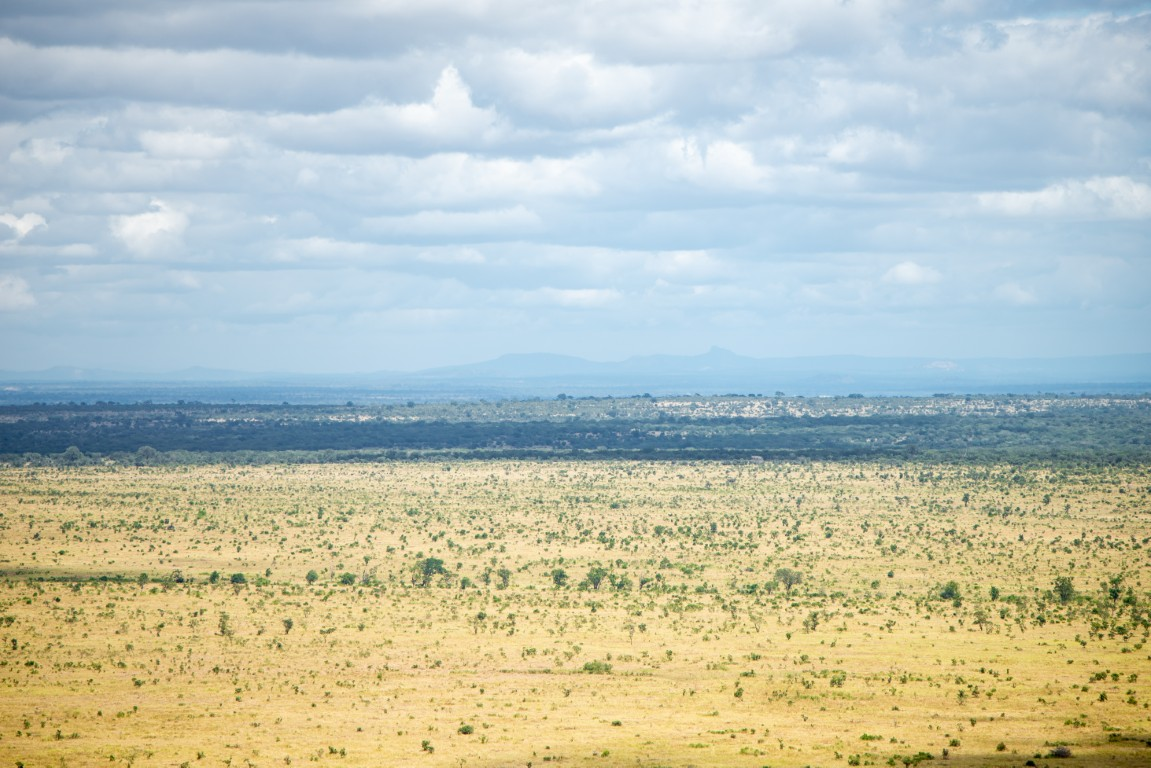
You will usually find signal in and around the rest camps, at the gates and on parts of the busier tar roads in the south. Between those pockets, and especially in the north and on remote gravel roads, expect to have no signal for hours. This guide covers where you can realistically get coverage, what to expect from camp Wi-Fi, how to get a South African SIM or eSIM, how charging works in camp, and how to plan your trip so a missing signal never becomes a problem.
Coverage in Kruger changes: towers get upgraded, cables get damaged, storms knock things out for days. Treat what follows as general patterns, not a guarantee.
The Short Version
| Where you are | What to expect |
|---|---|
| Main rest camps in the south (e.g. Skukuza, Berg-en-Dal, Crocodile Bridge, Lower Sabie, Pretoriuskop) | Usually usable signal on at least one major network, often data |
| Gates and areas near the park boundary | Often good, because you pick up towers outside the park |
| Main camps in the central and northern areas | Usually some signal in camp, but data can be slow or unreliable |
| Bushveld camps and small satellite camps | Often weak or none at all |
| Open road between camps, especially gravel roads and the far north | Expect no signal for long stretches |
Coverage Network by Network
Vodacom and MTN run the networks that matter in Kruger, and most travellers rank Vodacom slightly ahead. Some camps work better on MTN, though, so a group with phones on both networks doubles its chances. Both operators publish coverage maps on their websites. They tend to look more generous than reality, so cross-check with recent traveller reports for your camps.
Cell C no longer runs its own radio network. Since 2023 its customers roam on MTN and Vodacom towers, so in the bush its coverage depends on theirs. Smaller networks such as Telkom are rarely mentioned positively in Kruger reports. If you are choosing a local SIM specifically for Kruger, Vodacom or MTN is the safer bet.
A few patterns that show up again and again in traveller reports:
- The south is the best-connected part of the park. Camps close to the southern boundary, near the towns along the N4 and the Crocodile River, usually have the most reliable data.
- The middle and north are patchier. Camps like Letaba, Mopani and Shingwedzi have repeatedly been reported with slow or unusable data at times, even when calls and SMS still work.
- Outside camps you are unlikely to be able to make a call, except near gates, on high ground or close to the park boundary. Where data fails, an SMS often still gets through.
Because the January 2026 floods and later heavy rain damaged roads and infrastructure in parts of the park, some camps and roads were closed for periods during 2026, mostly in the north and centre, but in January also southern camps such as Lower Sabie and Crocodile Bridge. Check which camps are open before you plan around them, and do not assume that infrastructure in a recently reopened area is back to normal. Our camps guide is a good place to start.
Wi-Fi in the Rest Camps
Do not plan on Wi-Fi. SANParks does not run a reliable, park-wide guest Wi-Fi network. What you find depends on the camp:
- Some larger camps have Wi-Fi in limited areas, usually around reception, the restaurant or a conference venue, sometimes run by the restaurant operator or a third-party provider rather than SANParks.
- Speeds are often slow, especially in the evening when everyone is uploading photos at the same time.
- Smaller camps and bushveld camps usually have no Wi-Fi at all.
- Availability changes. Camp Wi-Fi has disappeared at times because of provider disputes, damaged cables or power problems, and new access points have been installed in other camps.
The practical approach: ask at reception when you check in whether there is Wi-Fi, where it reaches and whether it costs anything. Treat it as a bonus for evening messages, not as a way to download maps or work.
Buying a South African SIM Card
A local prepaid SIM is usually far cheaper than roaming and gives you a South African number for calling camps and your car rental company.
RICA registration. South African law (the RICA Act) requires every SIM to be registered to a person before it works. As a visitor you will need:
- your original passport (photocopies and foreign ID cards are generally not accepted),
- and often proof of where you are staying, such as a booking confirmation or a letter from your hotel or lodge.
Shops apply this differently, so carry a copy of your first accommodation booking just in case.
Where to buy. The easiest place is OR Tambo International Airport in Johannesburg, where the major operators have counters in the arrivals area and staff are used to registering tourists. Alternatively, buy at an operator store in a larger town such as Mbombela (Nelspruit) on your way to the park.
Data bundles. Buy a data bundle with the SIM rather than relying on pay-as-you-go airtime, which is expensive per megabyte. Prices and bundle names change often, so compare them at the counter. For a typical Kruger trip with offline maps already downloaded, a few gigabytes is usually plenty.
eSIM and Roaming
Travel eSIMs are the simplest option if your phone supports them. You buy and install a data-only eSIM online before you fly, and it connects to a local network when you land. You skip the RICA counter at the airport. Before you buy, check which South African network the eSIM uses: one that runs on Vodacom or MTN is the one you want for Kruger. Most travel eSIMs are data-only, so you get no local phone number.
One provider we recommend is Airalo. You buy the South Africa eSIM in the app or on the website, install it at home and it connects when you land. Its South Africa plans are data-only; the plan page shows which network it uses (listings mention Vodacom, some also MTN), so check that before you buy. Affiliate link: if you buy through it, we earn a small commission at no extra cost to you.
Roaming on your home SIM works, but outside a few special packages it is usually the most expensive option, and South Africa is not covered by free EU roaming. If you do roam, check your provider's daily pass before departure and switch off data roaming until you have activated it.
Whatever you choose, your phone's GPS works without signal. You only need data to load maps, so download them in advance.
Power, Charging and Load-Shedding
Most accommodation units in the main rest camps have electricity and plug points, and you can charge your phone and camera batteries overnight. The main socket in South Africa is the large three-round-pin Type M, with the newer Type N and two-pin Type C sockets also around, so bring an adapter for Type M. Some campsites have power points, and some do not, so check when you book. A few bushveld camps and rustic sites have limited or solar power.
Charge on the road too: a 12V car charger and a power bank are the most useful things you can pack for a self-drive. See our packing list for the full set.
Load-shedding (rolling national power cuts) affected Kruger camps heavily in 2022 and 2023. Main camps have backup generators, but these did not always power the whole camp, and card machines, ATMs and Wi-Fi could go down during outages. Eskom has not implemented national load-shedding since May 2025, so it is not a normal part of a Kruger trip right now. Local power failures from storms or damaged lines still happen, though, so a charged power bank and a little cash remain good insurance. Our fuel, shops and camp logistics guide has more on what to keep in reserve.
Your Offline Strategy
Assume you will have no signal, and do this before you leave home or while you still have Wi-Fi:
- Download offline maps. Google Maps and other apps let you save an area for offline use. Save the whole park plus the towns you drive through.
- Save your bookings offline. Screenshot or download your SANParks booking confirmation, your car rental agreement, flight details, travel insurance and any day-visitor permits.
- Save important numbers in your contacts, not just in an email you need data to open. That includes your camps' reception numbers and the SANParks emergency number from your booking confirmation or the official SANParks website, your car rental breakdown line, your travel insurer and your embassy.
- Screenshot the gate times for your travel month. Being late at a gate is a fine, not an excuse. Our gate times page has the full table.
The Kruger Companion app is built for exactly this: its maps, gate times, species guide and emergency info work offline once installed, and our safari workflow guide shows how to use it on a real day in the park.
Emergencies Without Signal
The most important thing to understand: in large parts of Kruger, you cannot call for help from where you are. Plan around that.
- Tell someone your plan. Let your camp or travel companions know which loop you are driving and when you expect to be back.
- Stay in your vehicle. If you break down or get a flat in a dangerous spot, do not get out to walk for help. Wait for the next vehicle and ask them to report you at the nearest camp or gate. The park rules explain why getting out is prohibited outside designated areas.
- Move to find signal only if it is safe. Higher ground or a road nearer a camp or gate may give you a bar or two.
- Know the national numbers. In South Africa, 112 from a mobile phone connects you to emergency services, and the older numbers 10111 (police) and 10177 (ambulance) are still widely listed. All of them need a network signal to connect.
Our emergency page lists what to do and who to contact in different situations.
Phone Etiquette in the Park
How you use your phone affects other visitors and the animals:
- No loud calls or speakerphone at sightings. If you must take a call, drive on first.
- Do not hold up traffic while you text or post. Park correctly at a sighting and leave space for others (sighting etiquette).
- Never share rhino locations. Not on social media, not in WhatsApp groups, not in sighting apps. Location information can end up with poachers. The same applies to active dens.
- Delay and generalise other posts. "Seen near Satara this morning" is fine. A live pin on a leopard kill brings a traffic jam. Our guide to the ethics of sharing sightings goes into detail.
Frequently Asked Questions
Is there cell phone signal in Kruger National Park? Yes, but mainly in and around the rest camps, at the gates and near the park boundary, with the south best covered. On most roads between camps, and especially in the north and on gravel roads, you should expect long stretches with no signal.
Which network is best in Kruger: Vodacom or MTN? Most travellers and guides rank Vodacom slightly ahead of MTN inside the park, but some camps work better on MTN. Cell C roams on MTN and Vodacom towers. If you travel in a group, having one phone on each of the two big networks is the most reliable setup.
Is there free Wi-Fi in Kruger rest camps? Some larger camps have Wi-Fi in limited areas such as reception or the restaurant, but it is often slow, its availability changes, and smaller camps usually have none. Ask at reception when you check in, and do not rely on it for downloads.
Can I buy a SIM card as a tourist? Yes. Bring your original passport and a copy of your accommodation booking for the RICA registration. The airport counters at OR Tambo are the easiest option, and a travel eSIM bought online before your trip lets you skip the RICA counter.
Is load-shedding still a problem in Kruger? South Africa has had no national load-shedding since May 2025. Local power failures can still happen after storms, so pack a power bank and some cash, but you no longer need to plan your days around outage schedules.